Client delivery
Designers and editors about to send a still or a short clip. The generator name comes off before the file leaves the machine.
Scan a JPEG, PNG, WebP, MP4, or MOV in this browser. The manifest comes off. The picture and the frames stay.
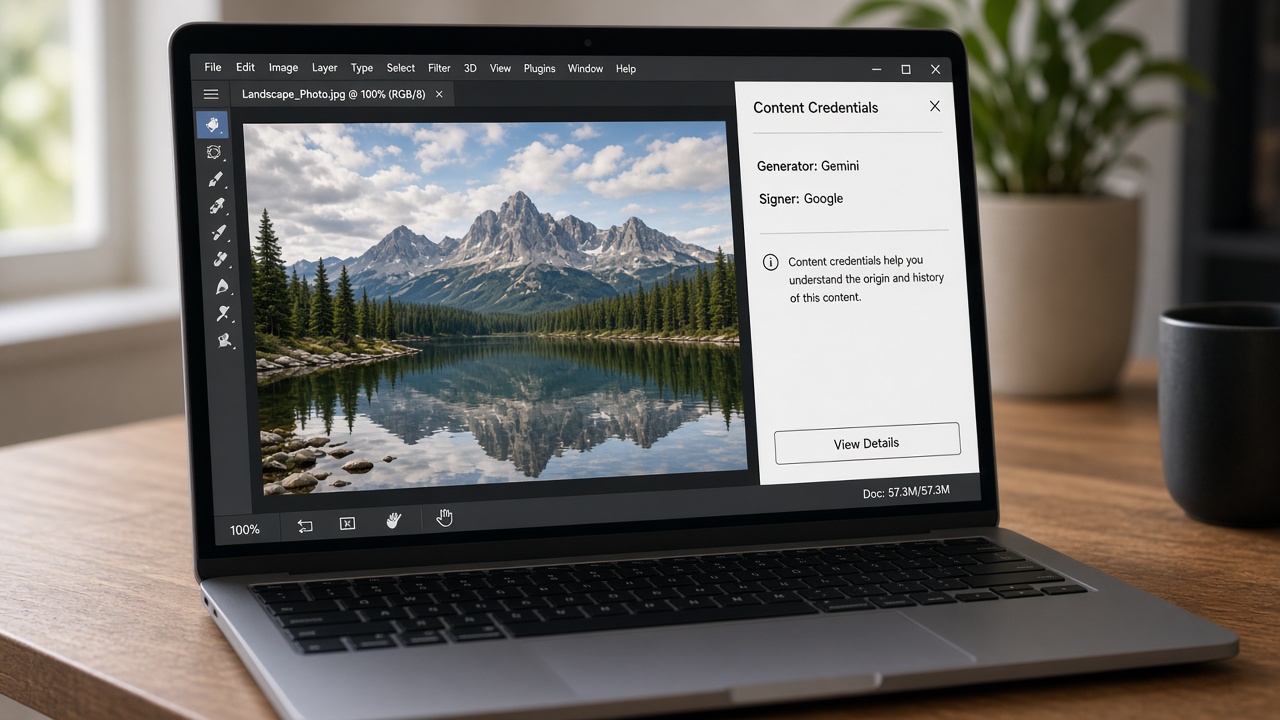
A Gemini, Firefly, or ChatGPT export can name the generator and the signer inside the file. Photoshop and Content Credentials show that record even when the picture has no logo. Sending the file as-is hands the client that record along with the work.
C2PA is a signed manifest: what created the file, which edits were recorded, and who signed the claim. Stripping it leaves the picture and the frames alone. It does not remove a pixel watermark such as SynthID, and it does not remove the visible Gemini logo. Use the image tool or the video tool for the logo.
Designers and editors about to send a still or a short clip. The generator name comes off before the file leaves the machine.
The edit history in c2pa.actions is the process, not the deliverable. Clear it on the still, or on a clip under 50 MB.
A manifest survives a re-upload. Clear the credential boxes before a clip goes into a CMS or onto a public URL.
If you already removed the Gemini logo, the signature can still be in the file. Run this page after the image tool or the video tool. To clean downloads while you are still on gemini.google.com, install the Chrome extension.
An image is saved again. JPEG uses a high quality setting, so the difference is not visible at normal size. A video is not encoded again. The frames stay byte for byte.
No. Reading and removal happen in this browser. The original file on your computer is left alone.
The image and video tools remove the visible Gemini logo. This page removes the signed manifest. A file can carry both, so run this after the logo is gone if the signature is still in the file.
With the manifest gone, a verify tool reports no content credentials. It does not report a failed signature.
An image can still be saved again, which drops EXIF and XMP. A video with no C2PA boxes has nothing to remove, and the button says so.
No. SynthID lives in the pixels. This page only removes the metadata manifest.
Scanning is free and needs no account.